Shutting down a data center is a lot more involved than unplugging racks and hauling equipment out the door. A proper data center decommissioning project touches security, compliance, logistics, and asset value all at once, and getting any one of those pieces wrong can turn a routine shutdown into a real liability.
Businesses usually decommission a data center for a fairly ordinary reason. A move to the cloud, a consolidation after a merger, a lease ending, or a facility that’s simply reached the end of its useful life. Whatever the reason, the equipment inside that facility still holds sensitive data, and that data doesn’t stop being a risk just because the servers are being shut off.
Why Decommissioning Is Riskier Than People Expect
A single data center can hold hundreds or thousands of drives across servers, storage arrays, and networking equipment. Every one of those drives is a potential point of exposure if it isn’t handled properly during shutdown.
The scale is what makes this different from a typical office equipment refresh. It’s not a handful of laptops that IT can track individually. It’s rack after rack of interconnected hardware, often built up over years by different teams, sometimes without complete documentation of what’s actually running where.
That lack of full visibility is exactly where problems start. If a business doesn’t have an accurate inventory of every device in the facility before decommissioning begins, something inevitably gets missed. A missed drive doesn’t just disappear, it ends up somewhere outside anyone’s control.
See also: How Does Your Existing EMI Burden Affect a Personal Loan Application?
The Planning Phase Matters More Than People Think
Before any physical work happens, a decommissioning project needs a full inventory. Every server, storage device, and piece of networking equipment gets logged, along with its location, function, and whatever data classification applies to it.
This step also involves figuring out dependencies. Some systems can be shut down immediately, while others are still supporting active operations elsewhere and need to be migrated first. Rushing this part creates outages that have nothing to do with the equipment itself and everything to do with poor sequencing.
Compliance requirements get mapped out during planning too. Depending on the industry, there may be specific rules about how data has to be destroyed, what documentation needs to be kept, and how long records of that destruction have to be retained. Figuring this out after equipment has already been pulled out of racks is the wrong order to do things in.
Physical Decommissioning and Secure Logistics
Once planning is done, equipment gets physically removed from racks in a coordinated sequence. This isn’t just about pulling hardware out, it’s about doing it in an order that doesn’t disrupt anything still running and doesn’t create gaps in the chain of custody.
Every device gets tracked from the moment it’s removed. Serial numbers get logged, and each piece of equipment is accounted for before it leaves the facility. This tracking is what makes the rest of the process defensible later, since it’s the record a business can point to if anyone asks what happened to a specific server.
Transportation has to be secure too. Equipment carrying sensitive data shouldn’t be sitting in an unsecured truck or handled by anyone outside the documented chain of custody. This is one of the areas where cutting corners on logistics undoes all the careful planning that happened earlier in the project.
Data Destruction at Scale
Data destruction during a decommissioning project looks a lot different from wiping a single laptop. The volume alone changes how the work gets approached, and consistency across hundreds of drives matters just as much as getting any single device right.
Depending on the equipment and its sensitivity, destruction methods vary. Some drives get wiped through certified software processes. Others go through degaussing or physical shredding, especially when a business wants absolute certainty that no data could ever be recovered. Whatever method gets used, it needs to be documented per device, not just summarized at a facility level.
This is where working with a provider offering an actual data loss protection solution makes a real difference. Handling this internally, without dedicated equipment and certified processes, is difficult to do consistently across a full facility’s worth of hardware. A provider built for this kind of scale brings the equipment, documentation, and experience needed to get it right the first time.
What Happens to the Equipment After Data Destruction
Not everything pulled from a decommissioned data center is scrap. Servers, storage arrays, and networking gear that are still functional often have resale or reuse value, and writing all of it off as waste leaves money on the table.
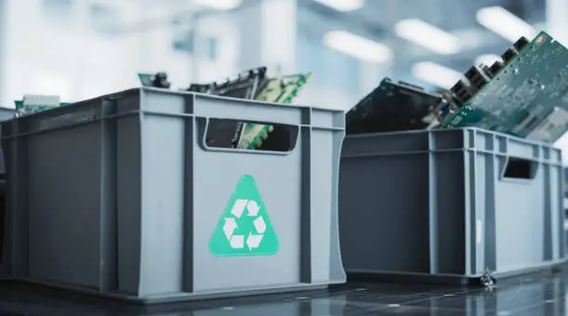
Once data has been securely destroyed, equipment typically gets sorted. Some of it goes toward refurbishment and resale, recovering part of the original investment. Some gets broken down for usable components. Anything that can’t be reused or resold gets recycled through certified e-waste channels rather than sent to a landfill.
This sorting step only works if data destruction happened first and was properly documented. Skipping that order, or trying to resell equipment before destruction is confirmed, creates exactly the kind of exposure a decommissioning project is supposed to prevent.
Common Mistakes During Decommissioning Projects
The most common mistake is underestimating the timeline. Businesses often plan a decommissioning project around the physical shutdown date without accounting for how long proper inventory, migration, and destruction actually take at scale. Rushing this leads to skipped documentation and inconsistent handling.
Another mistake is treating decommissioning as a purely internal IT task. Facility staff might handle the physical shutdown competently, but without dedicated data destruction expertise, documentation tends to be incomplete, and destruction methods can be inconsistent across different types of equipment.
Poor coordination between departments causes problems too. IT, facilities, legal, and compliance teams all have a stake in how a decommissioning project runs, and when those teams aren’t aligned, things get missed. A server that legal assumed was already wiped, or a compliance requirement that facilities didn’t know applied, are the kinds of gaps that surface too late to fix easily.
Getting a Decommissioning Project Right
A data center decommissioning project works best when it’s treated as its own structured project, not a side task tacked onto a facility closure. That means proper inventory before anything moves, documented chain of custody throughout, certified destruction methods matched to the sensitivity of the data involved, and clear sorting of equipment afterward for resale, reuse, or recycling.
If your business is planning to shut down or consolidate a data center, it’s worth building this process out well before the physical work begins, not after equipment has already started moving. You can contact us to talk through what a decommissioning plan should look like for your specific facility and timeline. A data center holds years of accumulated infrastructure and data. Shutting it down properly takes more than turning off the power.
